
What is FICA OASDI on My Paycheck?
What is FICA OASDI on My Paycheck What Is FICA OASDI on My Paycheck? (2026 Guide) | ADP Salary Calculator Pay Stub Glossary · Updated
Your pay stub is one of the most important documents you receive every pay period — and one of the least explained. Here’s a complete, section-by-section walkthrough.
A pay stub packs a lot of information into a small space — hours, rates, taxes, benefits, and running totals, often across a dozen or more line items. It’s also one of the few documents that shows exactly how your gross earnings become your actual take-home pay, which makes it worth understanding thoroughly rather than just glancing at the deposit amount.
This guide walks through every section of a typical pay stub, box by box, using a real worked example. For deeper dives into specific pieces, see our guides on FICA tax, payroll deductions, and YTD totals.
However your specific pay stub is laid out, nearly every one breaks down into the same four functional sections:
| Section | What It Shows |
|---|---|
| 1. Header | Who this stub belongs to, which employer, and which pay period it covers |
| 2. Gross Pay | Everything you earned this period, before anything is subtracted |
| 3. Deductions | Everything subtracted — taxes and voluntary/mandatory benefit deductions |
| 4. Net Pay | What’s actually deposited into your account |
Many stubs add a fifth, optional section for employer contributions — amounts your employer pays on your behalf that don’t come out of your check at all.
The top of your pay stub identifies the basics:
This section lists everything you earned during the pay period, before any deductions. Common line items include:
| Line | What It Means |
|---|---|
| Regular Hours / Regular Pay | Hours worked at your standard rate, up to 40 per week (for hourly employees) or your standard salary installment |
| Overtime (OT) | Hours beyond 40/week paid at 1.5× your regular rate — see our overtime pay stub guide for a full breakdown |
| Bonus | One-time or periodic bonus payments, which can also affect your overtime rate if paid alongside overtime hours |
| Commission | Sales-based or performance-based pay, common in sales roles |
| Holiday Pay | Pay for a recognized holiday, whether or not you worked that day |
| PTO / Vacation / Sick | Paid time off used during this period, drawn from your accrued balance |
| Shift Differential | Extra pay for working less desirable shifts (nights, weekends, holidays) |
| Gross Pay (Total) | The sum of every earnings line above — your total pay before any deductions |
Not every employee will see every line — a salaried employee with no overtime eligibility, for example, will typically show just a single “Salary” or “Regular” line.
This section lists everything subtracted from your gross pay, generally split into two groups:
For a full explanation of each individual deduction type, see our payroll deductions guide.
Some pay stubs include a separate section showing what your employer contributes on your behalf — for transparency, even though none of it is subtracted from your pay:
Net Pay = Gross Pay − All Tax Withholding − All Deductions
This is the number that actually lands in your bank account (or on your paycheck, if paid by check). It’s usually shown prominently, often in bold or a different color, at the bottom of the stub. Some stubs also show a “Net Pay Distribution” section if your pay is split across more than one account.
Most pay stubs show two numbers for every line item: “This Period” and “YTD” (Year-to-Date). YTD is simply the running cumulative total for that specific line from January 1 through the current pay period.
All YTD figures reset to zero at the start of each new calendar year. See our dedicated YTD guide for how to use these figures to catch errors or plan ahead.
Scenario: A non-exempt employee earning $26/hour, biweekly pay period, worked 84 hours (80 regular + 4 overtime) with standard benefit deductions.
Notice the employer contributions at the bottom don’t affect the $1,530.51 net pay figure at all — they’re shown for transparency about the total value of the compensation package, not as money added to this paycheck.
Compare your recorded hours against your own timesheet or time-tracking records for that exact pay period, including any overtime.
Check it against your benefits enrollment confirmation. If it’s still unfamiliar, ask HR or payroll for the documentation behind it before assuming it’s an error.
A sudden, large shift in your net-to-gross ratio can indicate a W-4 change, a new deduction, or a payroll error. Compare against your prior pay stub to isolate exactly which line changed.
YTD totals should increase by roughly “This Period” amount each time. A YTD figure that jumps unexpectedly or doesn’t increase at all is worth flagging to payroll.
Rate changes should be reflected starting the pay period they take effect. If a recent raise or rate change isn’t showing up, check with HR on the effective date they have on file.
Your final pay stub of the calendar year is essentially a preview of your W-2:
Genuine payroll errors are common and usually correctable — most employers would rather fix a mistake quickly than have it repeat across future pay periods.
Use our free ADP Salary Calculator to estimate gross pay, taxes, and net pay for your own situation and compare it against your actual pay stub.
Try the Free Calculator →What is FICA OASDI on My Paycheck What Is FICA OASDI on My Paycheck? (2026 Guide) | ADP Salary Calculator Pay Stub Glossary · Updated
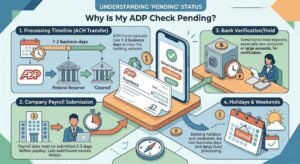
Why Is My ADP Check Pending? Why Is My ADP Check Pending? (2026 Guide) | ADP Salary Calculator Payroll Guide · Updated August 2026 Why

What Does OT Mean on an ADP Pay Stub? What Does “OT” Mean on an ADP Pay Stub? (2026 Guide) | ADP Salary Calculator Pay
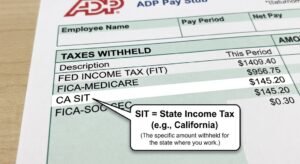
What Does SIT Mean on an ADP Pay Stub? What Does “SIT” Mean on an ADP Pay Stub? (2026 Guide) | ADP Salary Calculator Pay

Gusto vs Adp for Small Business ADP vs. Gusto Payroll for Small Business (2026 Comparison) | ADP Salary Calculator Payroll Software Comparison · Updated August
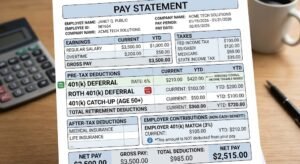
How 401(k) Contributions Appear on a Pay Stub How 401(k) Contributions Appear on a Pay Stub (2026 Guide) | ADP Salary Calculator Retirement & Payroll
Estimate your net pay with this easy-to-use salary paycheck calculator.
Note: adpsalarycalculator.com is not affiliated with ADP, Inc. | For informational purposes only.
Copyright © 2026. All Rights Reserved.