
What is FICA OASDI on My Paycheck?
What is FICA OASDI on My Paycheck What Is FICA OASDI on My Paycheck? (2026 Guide) | ADP Salary Calculator Pay Stub Glossary · Updated
Your 401(k) line doesn’t just show one number — it’s tracking three different things at once. Here’s exactly what each part means, including a major rule change that took effect January 1, 2026.
Your 401(k) contributions generally appear as a pre-tax or post-tax deduction itemized under the deductions or benefits section of your pay stub. It lists the amount taken from your current paycheck alongside a year-to-date (YTD) cumulative total — but depending on your plan and your income, you may actually see more than one 401(k)-related line, especially since a significant IRS rule change took effect on January 1, 2026.
This guide covers exactly where and how each type of 401(k) contribution shows up, what the numbers mean, and how to verify them against your retirement account provider. For the rest of your pay stub’s deductions, see our complete payroll deductions guide.
On nearly every standard pay stub layout, your 401(k) contribution sits in the deductions section (sometimes split into “Pre-Tax Deductions” and “Post-Tax Deductions” subsections) or a dedicated benefits section, depending on your payroll provider’s template.
If your employer’s plan offers both contribution types, they’ll appear as two distinct lines, since they’re taxed differently:
Listed under pre-tax deductions. It reduces your gross taxable income before federal and state income tax are calculated for that pay period — though it does not reduce wages subject to Social Security or Medicare tax.
Listed under post-tax or after-tax deductions, because contributions are taken from pay that has already been taxed. It does not reduce your taxable wages for the current year, but qualified withdrawals in retirement are generally tax-free.
Frequently shown in a separate “Employer Benefits” or memorandum section. This shows what your company is contributing to your account on your behalf — it does not affect your net take-home pay, since it was never part of your wages to begin with.
A well-designed pay stub tracks your 401(k) using three distinct figures, each answering a different question:
| Element | What It Answers |
|---|---|
| Current Period | Exactly how much was deducted from this specific paycheck |
| Year-to-Date (YTD) | Your total contributions saved through payroll since January 1st |
| Adjusted Taxable Gross | Your gross pay minus your pre-tax 401(k) deduction — the lower figure that federal and state income tax are actually calculated on for that pay period |
The “Adjusted Taxable Gross” figure (sometimes labeled “Federal Taxable Wages” or similar) is often overlooked, but it’s the number that explains why increasing your pre-tax 401(k) percentage doesn’t reduce your paycheck dollar-for-dollar — part of that increase is offset by paying less income tax.
| Limit Type | 2026 Amount |
|---|---|
| Employee elective deferral limit (under age 50) | $24,500 |
| Standard catch-up contribution (age 50–59, and 64+) | Additional $8,000 |
| “Super” catch-up contribution (ages 60–63 only) | Additional $11,250 (instead of the standard catch-up) |
| Combined employee + employer + after-tax limit (under 50) | $72,000 |
These limits are set annually by the IRS and adjusted for inflation. Once you hit the applicable limit through payroll deductions, your contributions should automatically stop for the remainder of the calendar year — worth confirming on your pay stub as you approach the cap late in the year.
This is the most significant change to how 401(k) contributions appear on pay stubs in years, and it’s worth understanding even if it doesn’t apply to you yet.
Effective January 1, 2026, employees age 50 or older whose FICA wages (Box 3 of their W-2) from their employer exceeded $150,000 in the prior calendar year must make any catch-up contributions as Roth (after-tax) — pre-tax catch-up contributions are no longer allowed for this group.
If you’re affected, your payroll system may now show your catch-up contribution as a separate, distinct line from your regular pre-tax 401(k) deferral — for example, “401(k) Roth Catch-Up” alongside your standard “401(k) Pre-Tax” line — since the two are taxed differently even though they go into the same overall account.
Some plans allow a third type of contribution beyond standard pre-tax and Roth deferrals: after-tax (non-Roth) contributions, often used as part of a “mega backdoor Roth” strategy for employees who’ve already maxed out their standard $24,500 limit.
Reduces your net take-home pay like a post-tax deduction, but is tracked separately from Roth contributions since it has different tax treatment on withdrawal. These contributions fill the space between your $24,500 personal limit and the $72,000 combined plan limit, alongside any employer match.
If your plan allows in-plan conversion or rollover of after-tax contributions to Roth, that conversion is typically handled outside of standard payroll processing and won’t appear as a recurring pay stub line item the way regular contributions do.
Many employers now automatically enroll new employees into the 401(k) plan at a default contribution rate, then increase (escalate) that rate by a set percentage each year unless the employee opts out or changes it.
If your employer matches contributions per pay period (rather than on an annual basis) and you max out your personal contribution limit before the last pay period of the year, you could miss out on part of your employer match for those final pay periods. Some plans correct this automatically with a true-up contribution.
Scenario: An employee earning $3,000 gross on a biweekly paycheck contributes 8% to a traditional pre-tax 401(k), with a 4% employer match.
Federal and state income tax for this paycheck are calculated on the $2,760 Adjusted Taxable Gross, not the full $3,000 — but Social Security and Medicare are still calculated on the full $3,000, since traditional 401(k) contributions don’t reduce FICA wages.
A short processing delay between payroll and the retirement provider is common and usually resolves within a few business days. A persistent gap of more than one pay period is worth raising with HR or payroll.
You may have hit the annual IRS contribution limit, in which case payroll should automatically stop pre-tax/Roth deferrals for the rest of the year — this is expected behavior, not an error, though it’s worth double-checking against the correct limit for your age group.
If your prior-year FICA wages from this employer exceeded $150,000 and you’re 50 or older, your 2026 catch-up contributions should be Roth by law. If they’re still showing as pre-tax, flag it to payroll — this may require correction.
Not every pay stub template displays the employer match as a line item, even if the match is actually being deposited. Check your retirement provider’s portal directly rather than assuming the match isn’t happening just because it’s absent from the stub.
Model different contribution percentages against your gross pay with our free ADP Salary Calculator.
Try the Free Calculator →What is FICA OASDI on My Paycheck What Is FICA OASDI on My Paycheck? (2026 Guide) | ADP Salary Calculator Pay Stub Glossary · Updated
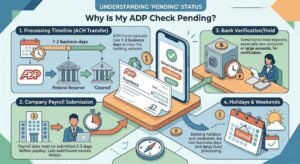
Why Is My ADP Check Pending? Why Is My ADP Check Pending? (2026 Guide) | ADP Salary Calculator Payroll Guide · Updated August 2026 Why

What Does OT Mean on an ADP Pay Stub? What Does “OT” Mean on an ADP Pay Stub? (2026 Guide) | ADP Salary Calculator Pay
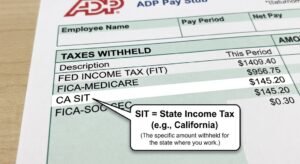
What Does SIT Mean on an ADP Pay Stub? What Does “SIT” Mean on an ADP Pay Stub? (2026 Guide) | ADP Salary Calculator Pay

Gusto vs Adp for Small Business ADP vs. Gusto Payroll for Small Business (2026 Comparison) | ADP Salary Calculator Payroll Software Comparison · Updated August
Pay Stub vs Paycheck vs W-2: What’s the Difference? Pay Stub vs. Paycheck vs. W-2: What’s the Difference? (2026) | ADP Salary Calculator Payroll Glossary
Estimate your net pay with this easy-to-use salary paycheck calculator.
Note: adpsalarycalculator.com is not affiliated with ADP, Inc. | For informational purposes only.
Copyright © 2026. All Rights Reserved.